Beautiful Digital Design: fully Customizable Brand Colors | QR Menu Maker
Why settle for a static, boring PDF? Match your menu strictly to your brand identity by changing backgrounds, text, headlines, and accent colors to produce a flawless aesthetic.
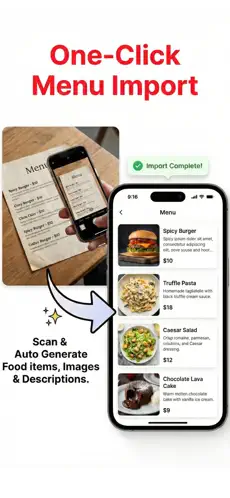
Your digital presence should reflect your physical dining experience. This menu designer integrates exact hex-code color matching to ensure complete brand cohesion.
Step-by-Step Implementation
- 1Select Global Theme
Start with a light, dark, or neutral base layout.
- 2Apply Exact Colors
Pick accent and background colors that define your brand identity.
- 3Select Typography
Ensure your menu uses clear, perfectly sized smartphone fonts.
- 4Preview Live
See exactly how it looks on mobile before guests ever scan.
Technical Performance Benchmarks
Brand Color Matching: Directly input your exact hex codes to match your restaurant interior.
Typography Selections: Clean, legible web-fonts curated for optimal reading in dark or dim settings.
Responsive Backgrounds: High-contrast toggles for easy legibility under any lighting conditions.
Tailored for Your Venue Type
Beautiful Digital Design for Fine Dining
Maintain a premium, upscale look with minimalist styling and dark mode.
Beautiful Digital Design for Wine Bars
Offer elegant, readable lists in romantically-lit dim environments.
Beautiful Digital Design for Modern Cafes
Match vibrant, energetic colorful branding seamlessly.
Ready to Leave the Competition Behind?
Check out how our Beautiful Digital Design outperforms legacy tools.