Custom QR Designer: Beyond Basic Black and White | QR Menu Maker
Don't stick with standard boring codes. Design a unique QR code utilizing your restaurant's custom colors that practically invites guests to scan it.
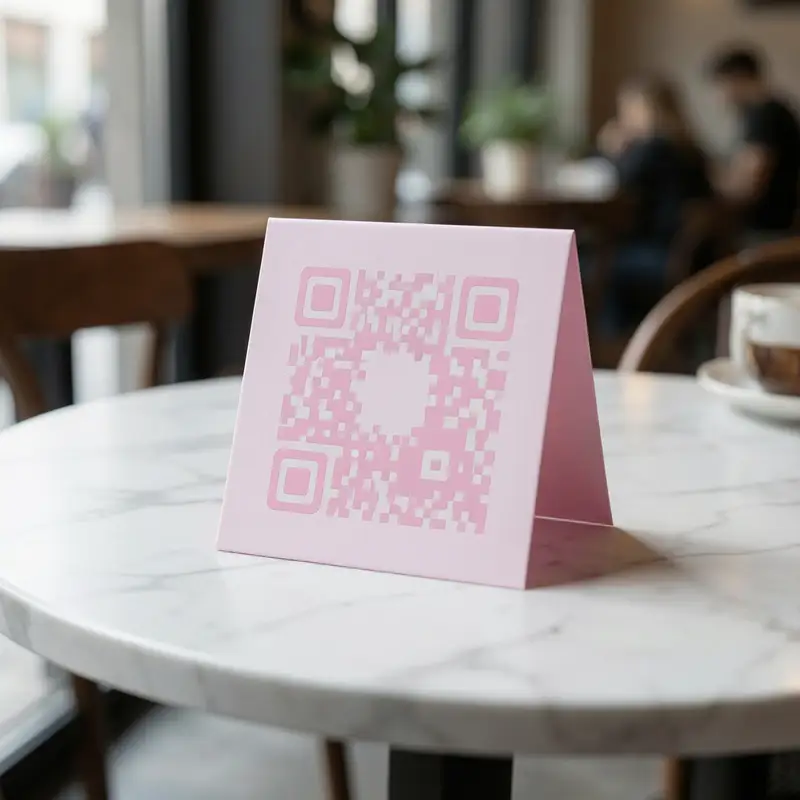
A massive failing of traditional QR tools is the aesthetic detriment of generic black codes. The styling engine integrates perfectly into interior designs without jarring aesthetics.
Step-by-Step Implementation
- 1Enter Builder
Navigate to the QR design tab in the application.
- 2Configure Palette
Pick your interior branding primary edge color and center dot color.
- 3Select Framing
Decide on the surrounding edge markers that anchor the image.
- 4Export Asset
Extract the finished transparent code to print onto tents and flyers natively.
Technical Performance Benchmarks
Gradient Fill Tints: Seamlessly blend two highly specific hex colors inside the QR dots.
Custom Frame Borders: Frame the code intuitively to stand out against wood or metal tables.
High Error Correction: Advanced encoding algorithms ensuring fast scanning even if smudged or torn.
Tailored for Your Venue Type
Custom QR Designer for Aesthetic Cafes
Match pastel aesthetics perfectly rather than introducing crude, contrasting black squares to tables.
Custom QR Designer for Multi-chain Franchises
Enforce strict branding style-guides uniformly down to the pixel of the code's pattern.
Custom QR Designer for Upscale Dining
Subtly integrate the codes onto sleek menus without ruining traditional elegant formatting.
Ready to Leave the Competition Behind?
Check out how our Custom QR Designer outperforms legacy tools.